

What an AI skin analysis measures

Every trait score from one scan, lowest to highest, against the skin score they add up to.

Skin score

55

Fair

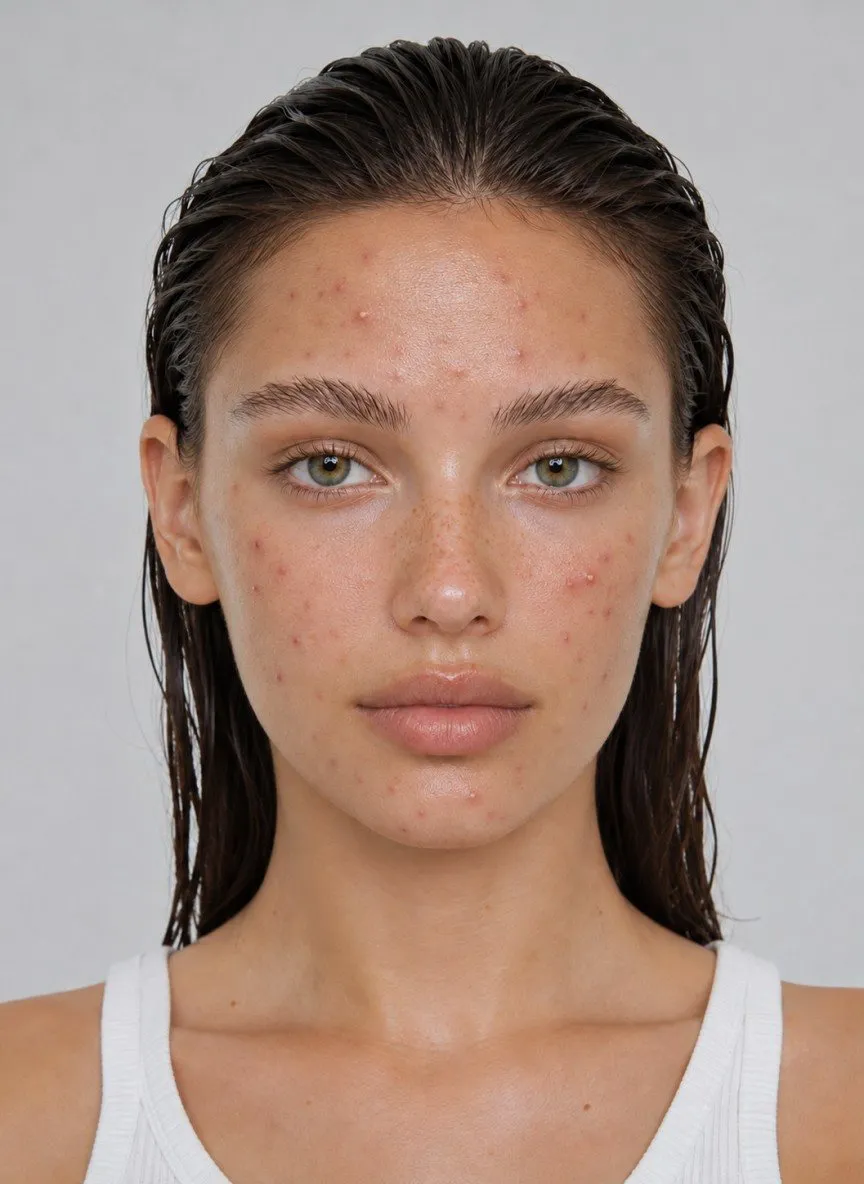
Selfie used for the sample skin analysis, with breakouts on the forehead, cheeks, and chin
Skin age
24
Skin type
Combination
Scan confidence
High

8 of the 13 scored traits sit above the skin score of 55. Select a trait to see what the scan looks for.

The line marks the skin score. Skin age is shown in years, so it isn't on this chart.
Close-up selfie with breakouts and redness, used to show what a skin analysis looks at

What is a skin analysis?

A skin analysis is a close, trait-by-trait reading of the visible surface of your skin. An AI skin analysis does it from one selfie: a computer vision model looks at color, surface, light, and shape, rates 14 traits from pores to skin age, and sums them up in a single skin score out of 100.

Color

Redness, uneven tone, and dark spots are differences in color. Turn up the color contrast and the flushed cheeks and breakout marks in this photo jump out.

  • Redness
  • Pigmentation
  • Dark Spots

How skin scores work

The skin score and every trait share one 0 to 100 scale, split into five bands. Drag the marker or tap a face.

72

Good

Healthy overall, with one or two traits worth a closer look. Check the lowest ones before you change anything.

Tap a face to see where its scan lands

  1. Needs ImprovementNeeds Improvement0-24
  2. AverageAverage25-49
  3. FairFair50-69
  4. GoodGood70-84
  5. ExcellentExcellent85-100

What a scan measures

14 traits. One score.

Every scan breaks your skin into the signals that matter, then tells you what to do about each one.

Pores

How visible and congested your pores look, zone by zone.

Needs Improvement0+Average25+Fair50+Good70+Excellent85+

When it needs work, the app suggests

  1. Add a BHA (salicylic acid) to dissolve oil inside the pores.
  2. Use a clay or charcoal mask once or twice a week.
  3. Stick to a lightweight, non-comedogenic moisturizer.

Is an AI skin analysis accurate?

It is accurate about what a camera can see, and most useful when every photo is taken the same way. It can't see beneath the surface and it doesn't diagnose. Light changes a facial skin analysis more than anything else, and every report rates its own scan confidence, from High to Very low.

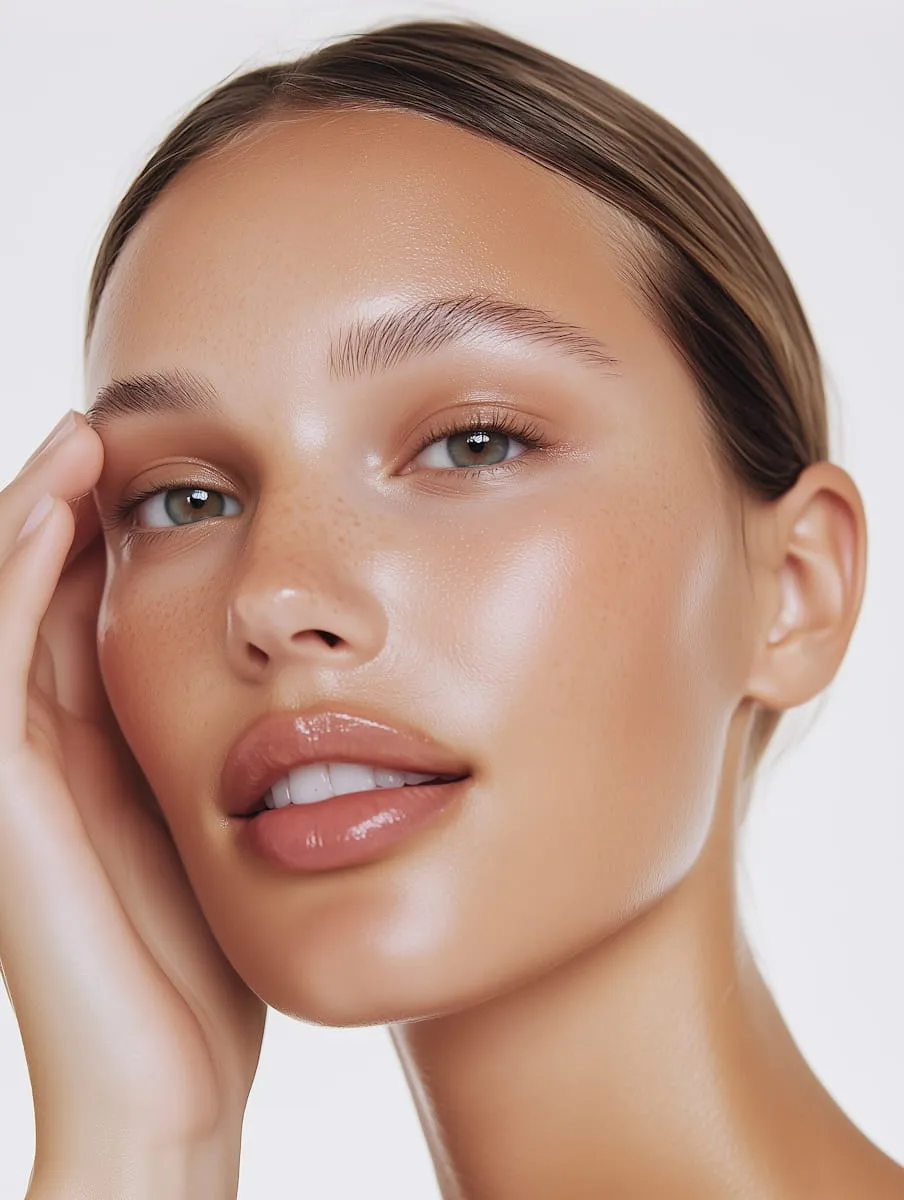
Studio portrait of a woman, shown in four lighting conditions
The other three are edited versions of this photo.

Studio light

This photo scored 91 (Excellent), with scan confidence rated Fair. The report pointed out shine on the forehead and nose that may reflect natural oil, skincare, or studio lighting, and oiliness came in at 43.

Daylight from a window is softer than studio flash and leaves fewer hard highlights to mistake for oil.

Skin analysis app, clinic scan, or free online checker?

All three read your skin from images. They differ in the light they use, what they hand back, and how often you can repeat them.

Skin analysis options compared
GoodSkin appClinic imagingsuch as VISIAFree online checkeron a brand site
Where it happensOn your phone, whenever you likeIn a dermatology or aesthetic clinicIn your browser
How the photo is takenYour front camera, ideally facing a windowA fixed booth with controlled light, UV, and cross-polarized imagingA webcam or uploaded selfie, in whatever light you have
What you get backA skin score, 14 trait scores, skin age, type, and tone, with steps for each traitDetailed images of spots, redness, and sun damage, explained by staffA handful of concerns, usually with the brand’s products attached
Repeat scansAs often as you like, with monthly history and before-and-afterAt each appointmentUsually a one-off
CostFree to download, full report with PremiumSet by each clinicFree
Best forSeeing whether your routine works, week by weekA baseline before professional treatmentsA quick first look

Skin analysis, answered

Scores, free options, and how a skin analyzer differs from a skin checker.

Want to see a whole report first? Open a sample report on the home page.

What does a skin score of 70 mean?

A 70 sits at the bottom of the Good band. GoodSkin grades the skin score and every trait on the same scale: 85 and up is Excellent, 70 to 84 Good, 50 to 69 Fair, 25 to 49 Average, and below 25 Needs Improvement. Check your lowest traits too, since they show where the missing points went.

Why can my skin score shift from one day to the next?

Light is the biggest reason. A different window, a lamp, a fresh layer of moisturizer, or holding the phone closer all change what the camera sees. Real changes show up as well, like a breakout or a dry week. Scan in the same spot at the same time of day, and judge a new routine over several weeks rather than day to day.

Can I get a free skin analysis online?

For a quick read, yes. The free skin analysis checks redness, shine, and tone evenness from a selfie right in your browser, and our other free skin tools work out your skin type, undertone, and Fitzpatrick type. Brand checkers on retail sites are free too, but they usually steer you to their own products. GoodSkin is free to download, and the full 14-trait report comes with Premium.

Is a skin checker the same as a skin analyzer?

“Skin checker” often means an app for checking moles and spots, which is a medical question for a dermatologist. A skin analyzer like GoodSkin rates cosmetic traits such as pores, redness, and texture, and it does not assess moles. If a spot is new, changing, or bleeding, book a dermatologist. Here is how GoodSkin differs from SkinVision.

Can a skin analysis tell my skin type?

Yes. Every GoodSkin report lists your skin type and skin tone alongside the scores. To check your type without the app, take the skin type quiz.

Get your own skin analysis

Download GoodSkin, take one selfie facing a window, and see every trait score with what to work on first.

Scan with your phone camera

Get GoodSkinFree to download on the App Store and Google Play.

Point your phone camera at the code. It opens the right store for your phone.